.png)
.png)

实现效果:n8n每天早上8点和下午5点定时发送邮件,内容为读取数据库layui_admin_template的action_items,发送今日的任务信息,和以前已经超时未完成的任务数据。每日下午总结本天完成的任务情况。
实现效果:n8n每天早上8点和下午5点定时发送邮件,内容为读取数据库layui_admin_template的action_items,发送今日的任务信息,和以前已经超时未完成的任务数据。每日下午总结本天完成的任务情况。
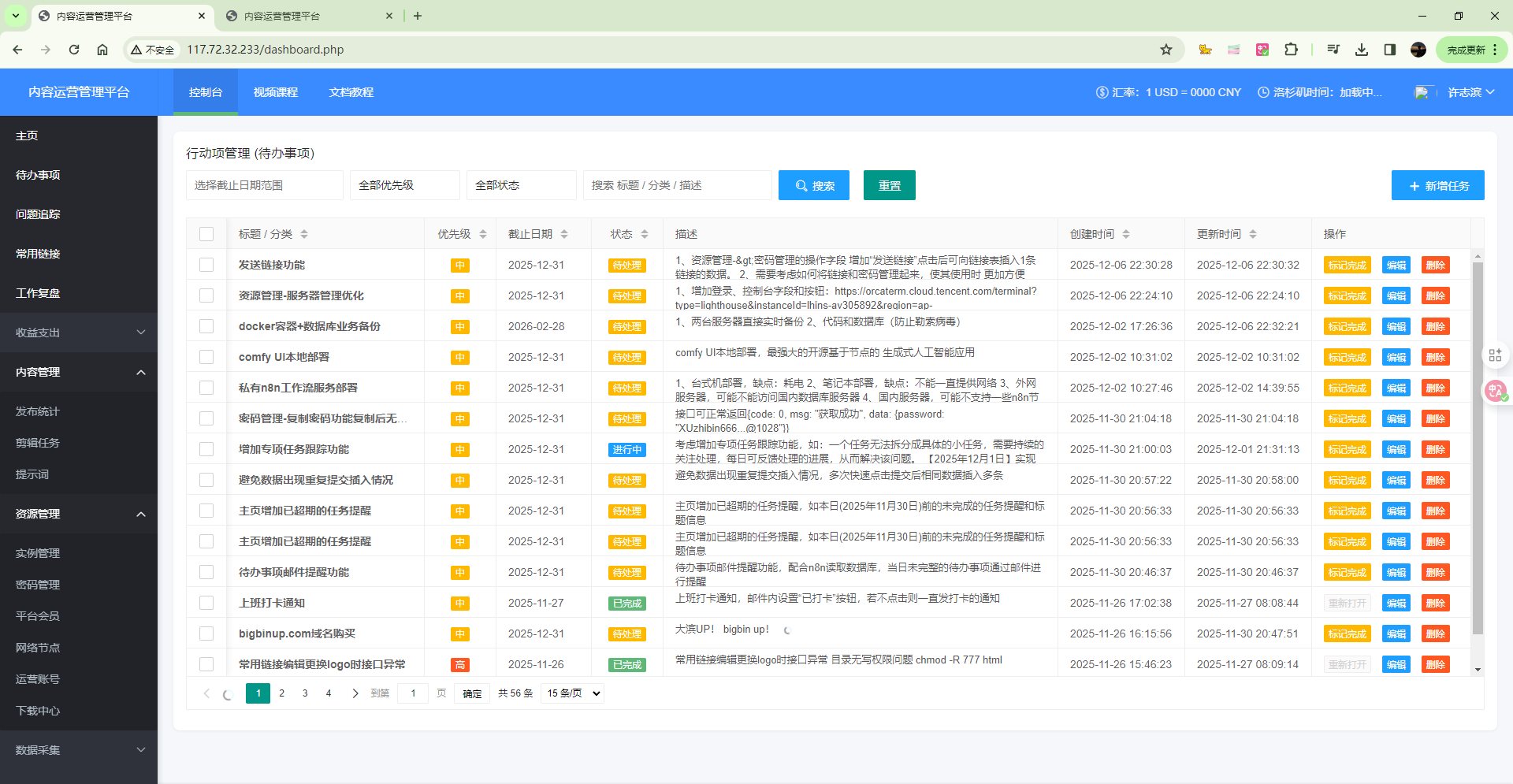
待办事项前台页面:
action_items表数据
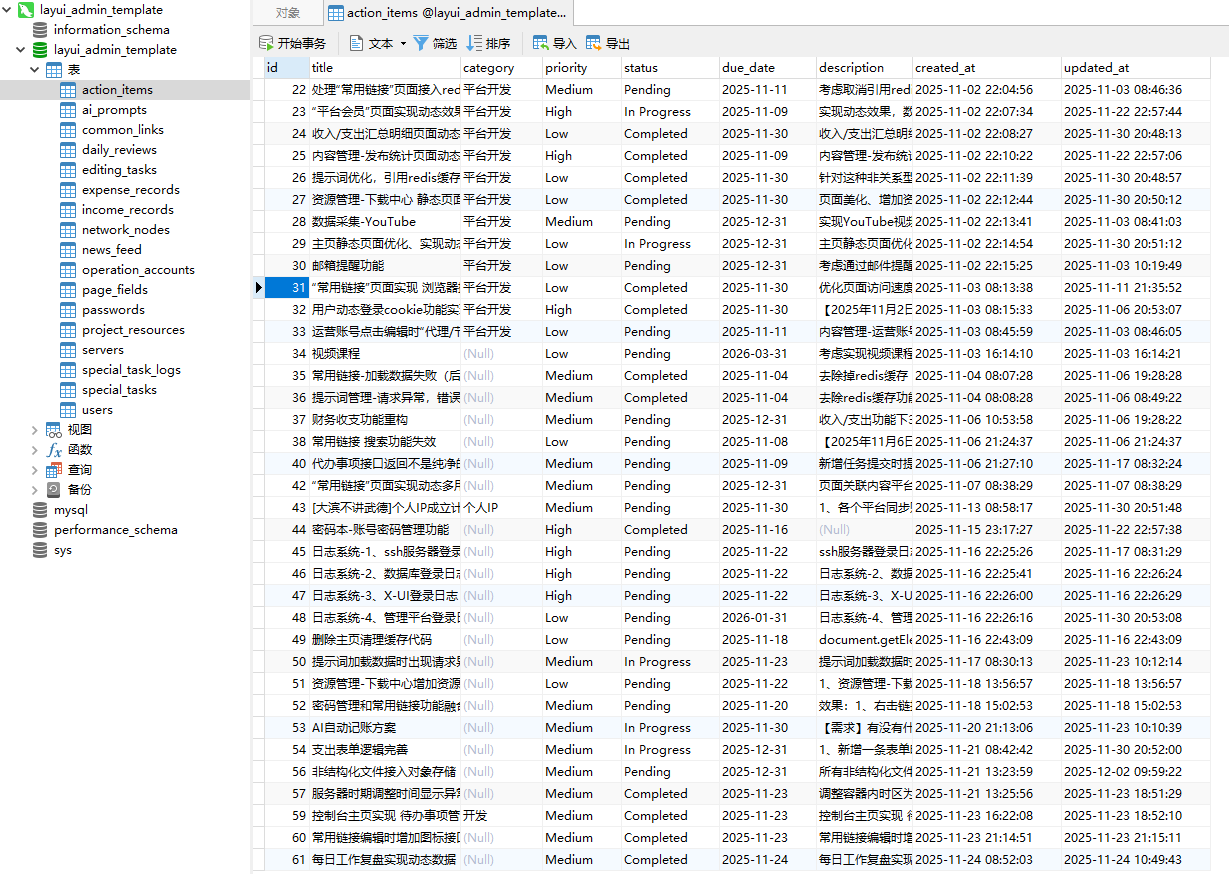
字段信息:
id INT AUTO_INCREMENT PRIMARY KEY,
title VARCHAR(255) NOT NULL COMMENT '行动项标题',
category VARCHAR(100) DEFAULT NULL COMMENT '分类/项目',
priority ENUM('High', 'Medium', 'Low') NOT NULL DEFAULT 'Medium' COMMENT '优先级',
status ENUM('Pending', 'In Progress', 'Completed') NOT NULL DEFAULT 'Pending' COMMENT '状态',
due_date DATE DEFAULT NULL COMMENT '截止日期',
description TEXT DEFAULT NULL COMMENT '详细描述',
created_at TIMESTAMP NOT NULL DEFAULT CURRENT_TIMESTAMP COMMENT '创建时间',
updated_at TIMESTAMP NOT NULL DEFAULT CURRENT_TIMESTAMP ON UPDATE CURRENT_TIMESTAMP COMMENT '更新时间',
修改时区
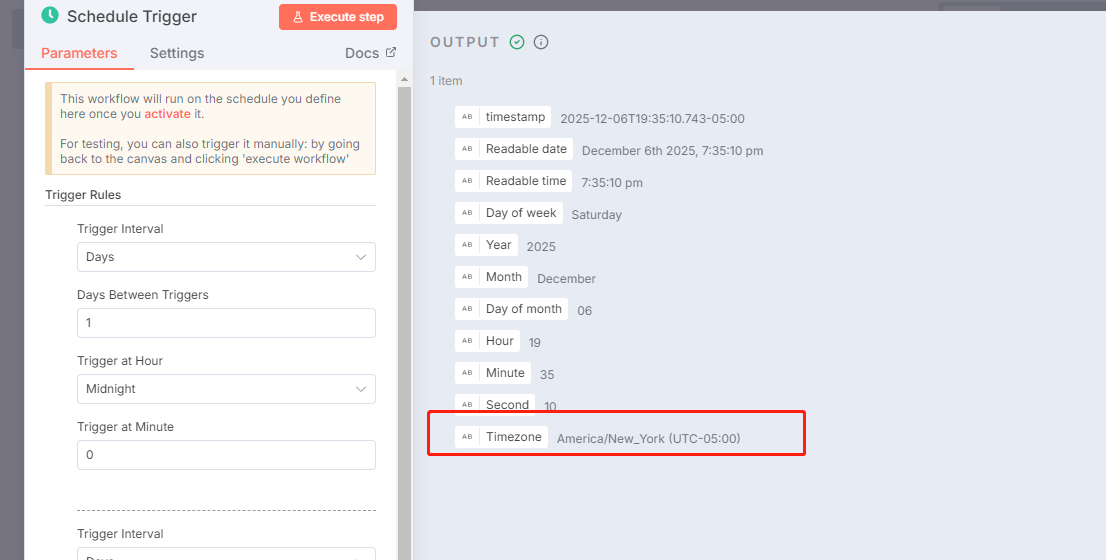
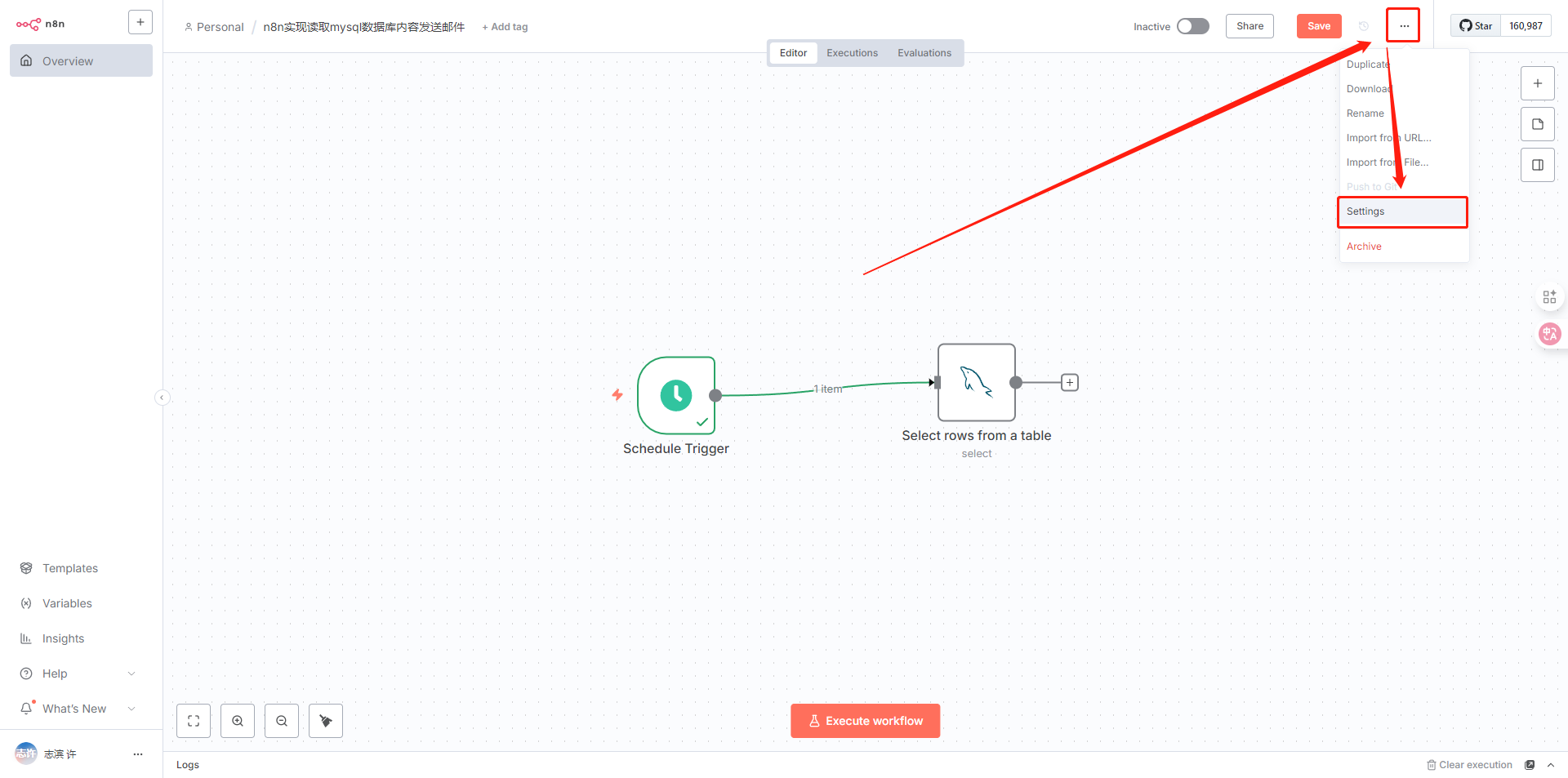
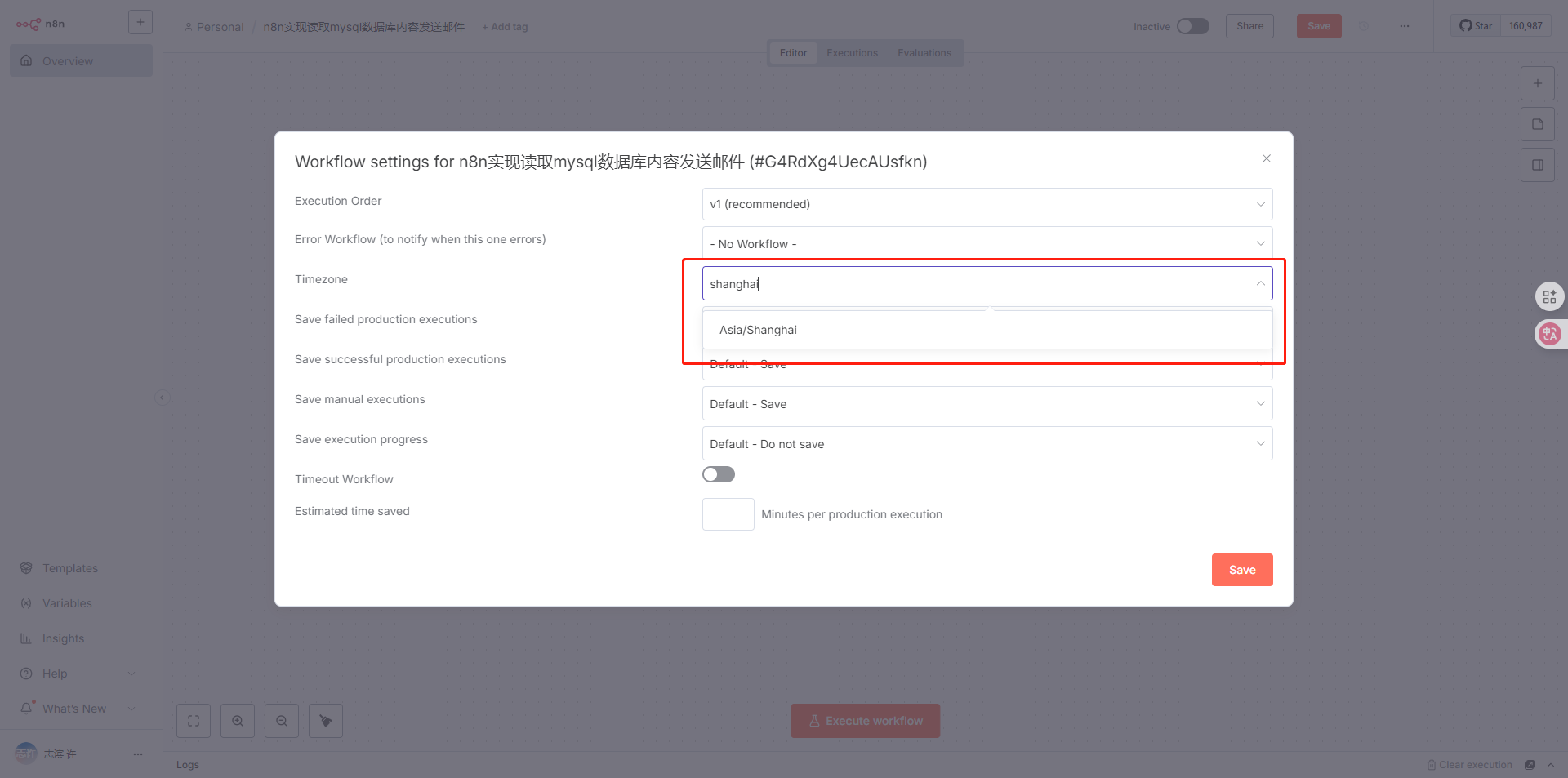
核心工作流设计思路
Schedule Trigger (定时触发): 设置两个时间点:每天 08:00 和 17:00。
If / Switch Node (逻辑判断): 判断当前的小时数。
如果是早上 (8点): 走“早报分支”。
如果是下午 (5点): 走“晚报分支”。
MySQL Node (数据库查询):
早报分支 SQL: 查询
due_date <= 今天且status != Completed的数据。晚报分支 SQL: 查询
status = Completed且updated_at为今天的数据。
Code Node (格式化): 将查询出来的 JSON 数组转换成易读的 HTML 邮件正文。
Email Node (邮件发送): 发送最终邮件。
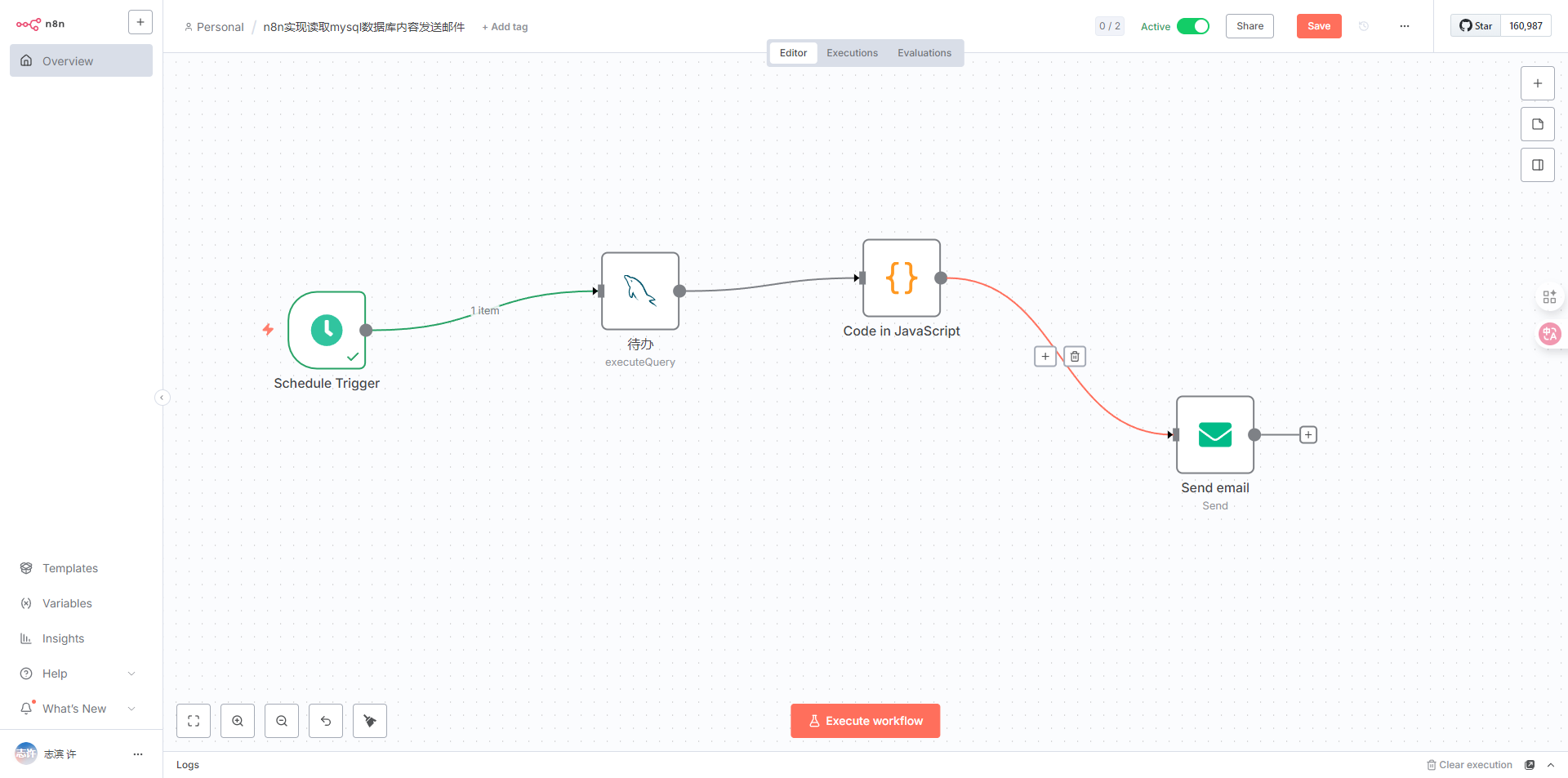
1、定时执行 每天8点
2、mysql查询 SELECT * FROM layui_admin_template.action_items
WHERE status != 'Completed' AND due_date <= CURDATE()
3、格式化数据
// 1. 获取数据 const items = $input.all(); // 初始化分组 let todayTasks = []; let overdueTasks = []; // 格式化当前日期:2023年12月07日 星期四 const dateOptions = { timeZone: 'Asia/Shanghai', year: 'numeric', month: 'long', day: 'numeric', weekday: 'long' }; const todayStr = new Date().toLocaleDateString('zh-CN', dateOptions); const todayDateCompare = new Date().toLocaleString('en-CA', { timeZone: 'Asia/Shanghai' }).split(',')[0]; // YYYY-MM-DD // 2. 数据分类 for (const item of items) { const task = item.json; let taskDate = task.due_date ? task.due_date.toString().substring(0, 10) : todayDateCompare; if (taskDate < todayDateCompare) { overdueTasks.push(task); } else { todayTasks.push(task); } } // 3. 定义配色和样式常量 (莫兰迪/SaaS风格) const colors = { primary: '#2e2e2e', // 主文字色 secondary: '#666666', // 次要文字色 accent: '#3b82f6', // 强调色 (蓝色) danger: '#ef4444', // 警告色 (红色) bg_danger: '#fef2f2', // 红色背景 bg_gray: '#f9fafb', // 灰色背景 border: '#e5e7eb' // 边框色 }; // 4. 构建 HTML // 使用 Table 布局以保证最佳邮件兼容性 let html = ` <!DOCTYPE html> <html> <body style="margin: 0; padding: 0; background-color: #ffffff; font-family: -apple-system, BlinkMacSystemFont, 'Segoe UI', Roboto, Helvetica, Arial, sans-serif;"> <center> <table role="presentation" cellspacing="0" cellpadding="0" border="0" align="center" width="100%" style="max-width: 600px; margin: auto;"> <tr> <td style="padding: 40px 0 20px 0; text-align: left;"> <p style="margin: 0; font-size: 13px; font-weight: 600; color: ${colors.accent}; letter-spacing: 1px; text-transform: uppercase;">Daily Briefing</p> <h1 style="margin: 8px 0 0 0; font-size: 28px; font-weight: 800; color: ${colors.primary}; letter-spacing: -0.5px;">待办事项简报</h1> <p style="margin: 5px 0 0 0; font-size: 14px; color: ${colors.secondary};">${todayStr}</p> </td> </tr> <tr> <td style="padding-bottom: 30px;"> <table width="100%" cellspacing="0" cellpadding="15" style="background-color: ${colors.bg_gray}; border-radius: 12px;"> <tr> <td width="50%" style="border-right: 1px solid ${colors.border}; text-align: center;"> <span style="display:block; font-size: 24px; font-weight: 700; color: ${colors.danger};">${overdueTasks.length}</span> <span style="display:block; font-size: 12px; color: ${colors.secondary};">已逾期</span> </td> <td width="50%" style="text-align: center;"> <span style="display:block; font-size: 24px; font-weight: 700; color: ${colors.primary};">${todayTasks.length}</span> <span style="display:block; font-size: 12px; color: ${colors.secondary};">今日待办</span> </td> </tr> </table> </td> </tr> `; // --- 辅助函数:渲染任务行 --- function renderTaskRow(task, isOverdue) { // 优先级样式 let priorityStyle = `font-size: 10px; padding: 2px 8px; border-radius: 10px; font-weight: 600; vertical-align: middle;`; let priorityLabel = task.priority || 'Normal'; if (task.priority === 'High') { priorityStyle += `background-color: #fee2e2; color: #991b1b;`; } else if (task.priority === 'Medium') { priorityStyle += `background-color: #fef3c7; color: #92400e;`; } else { priorityStyle += `background-color: #f3f4f6; color: #374151;`; } // 日期样式 let dateText = task.due_date.toString().substring(5, 10); // 只显示 MM-DD let dateStyle = isOverdue ? `color: ${colors.danger}; font-weight: 600;` : `color: ${colors.secondary};`; let icon = isOverdue ? '⚠️' : '🗓️'; return ` <tr> <td style="padding: 16px 0; border-bottom: 1px solid ${colors.border};"> <table width="100%" cellspacing="0" cellpadding="0"> <tr> <td valign="top"> <div style="font-size: 16px; font-weight: 600; color: ${colors.primary}; margin-bottom: 4px;"> ${task.title} <span style="${priorityStyle} margin-left: 8px;">${priorityLabel}</span> </div> <div style="font-size: 13px; color: #888888; line-height: 1.4;"> ${task.description || '暂无详细描述'} </div> </td> <td valign="top" style="text-align: right; white-space: nowrap; padding-left: 15px;"> <div style="font-size: 12px; ${dateStyle}"> ${icon} ${dateText} </div> </td> </tr> </table> </td> </tr> `; } // --- 严重逾期模块 --- if (overdueTasks.length > 0) { html += ` <tr> <td style="padding-top: 10px; padding-bottom: 10px;"> <p style="font-size: 12px; font-weight: 700; color: ${colors.danger}; text-transform: uppercase; letter-spacing: 0.5px;">🚨 需要立即关注</p> </td> </tr> `; overdueTasks.forEach(t => html += renderTaskRow(t, true)); html += `<tr><td height="20"></td></tr>`; // 间距 } // --- 今日待办模块 --- if (todayTasks.length > 0) { html += ` <tr> <td style="padding-top: 10px; padding-bottom: 10px;"> <p style="font-size: 12px; font-weight: 700; color: ${colors.secondary}; text-transform: uppercase; letter-spacing: 0.5px;">📅 今日计划</p> </td> </tr> `; todayTasks.forEach(t => html += renderTaskRow(t, false)); } else if (overdueTasks.length === 0) { html += ` <tr> <td style="text-align: center; padding: 40px 0;"> <img src="https://cdn-icons-png.flaticon.com/512/145/145859.png" width="48" style="opacity: 0.3; margin-bottom: 10px;"> <p style="color: ${colors.secondary};">太棒了,所有任务都已清空!</p> </td> </tr>`; } // --- 底部 --- html += ` <tr> <td style="padding-top: 40px; text-align: center;"> <p style="font-size: 12px; color: #d1d5db;">Automated by n8n • Do not reply</p> </td> </tr> </table> </center> </body> </html> `; return [{ json: { email_body: html, subject: `待办事项简报:${todayTasks.length + overdueTasks.length} 项任务待处理` } }];4、发送邮件
QQ邮箱配置SMTPhttps://wx.mail.qq.com/list/readtemplate?name=app_intro.html#/agreement/authorizationCode
评论